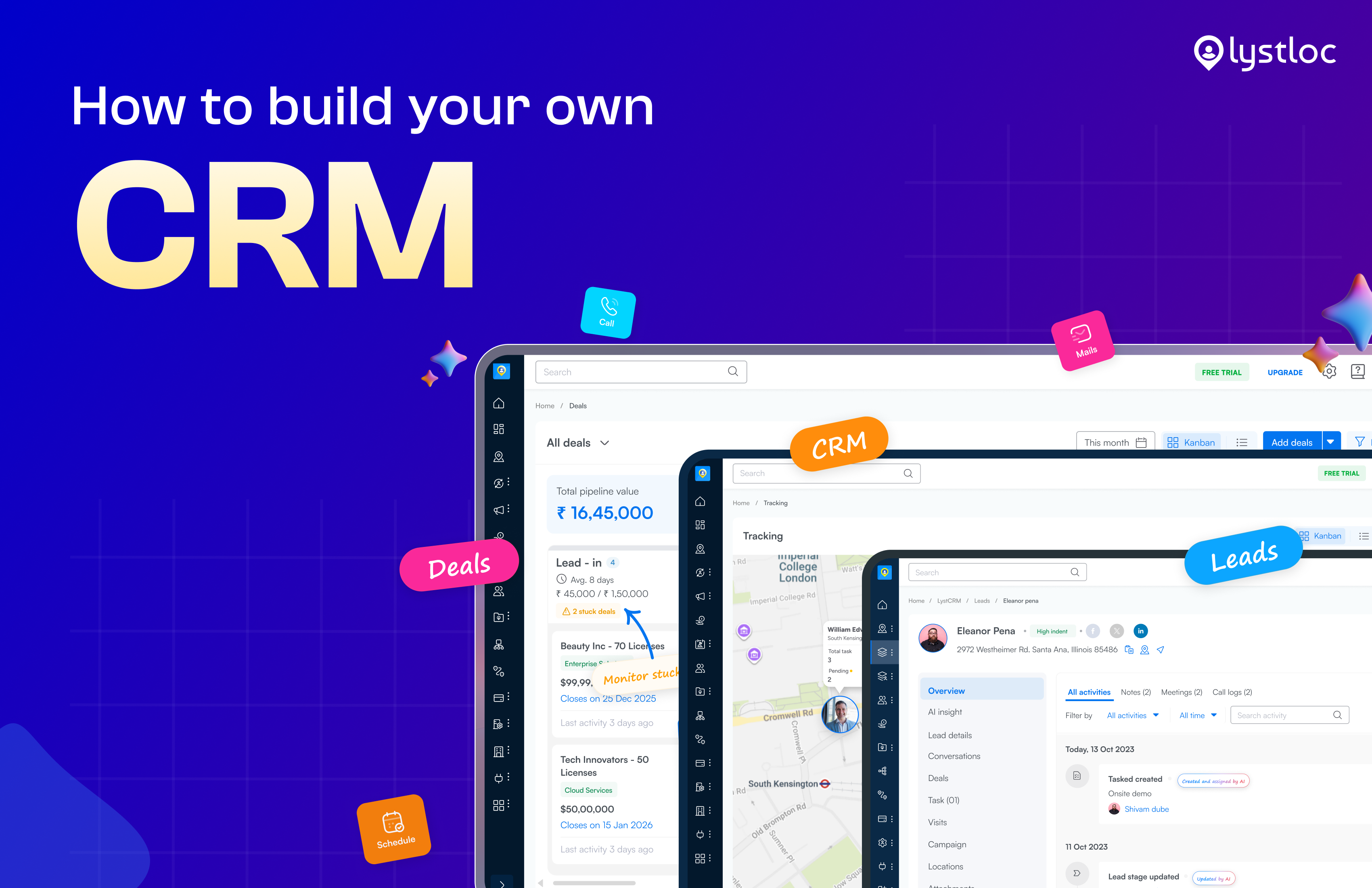
Do you think building your own CRM includes coding and technical knowledge?
Absolutely not!
Can we go with a live scenario?
As a result, they were missing out on prospects. They struggle to follow their workflow. The team needed a system to help them track leads and customers.
Does this sound familiar?
Build Your Own CRM
Table of Contents
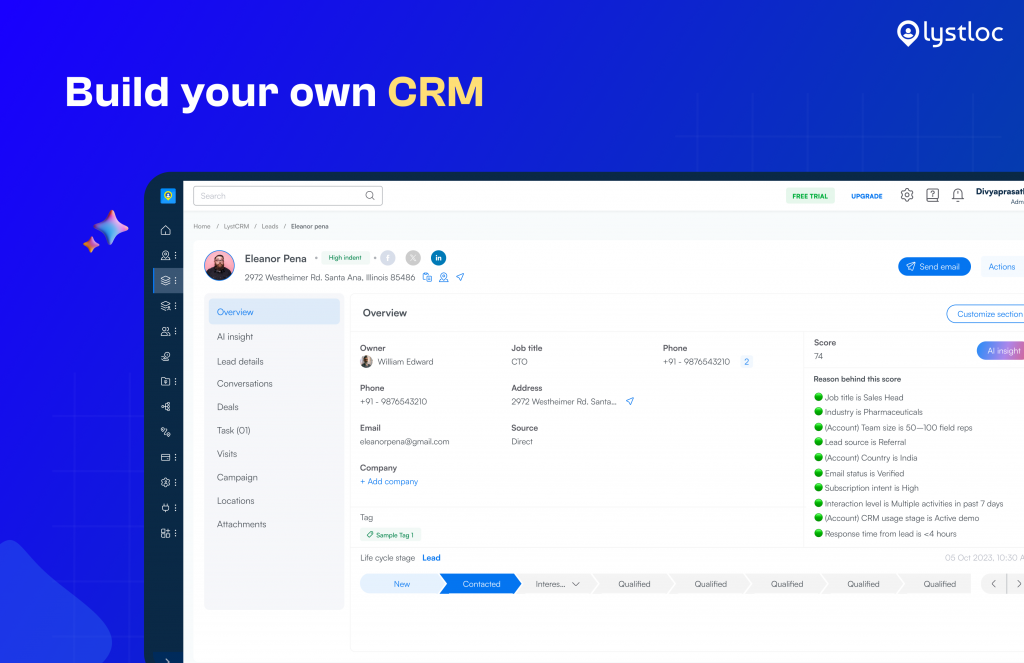
Creating a customer relationship management system is about setting up a platform that fits your business workflow perfectly. And you don’t need to know technical code.
LystCRM is designed to meet your requirements. It provides pre-built core modules, including Deals, Orders, Customers, Visits, Location, Tasks, and Leads. You can also create custom modules tailored to your business requirements.
The Power of LystCRM
Imagine you and your sales representative, Akshay, just finished a meeting with a client in his city.
He logs an order. LystCRM updates the deal. Instantly sets a reminder and sends the order to the client’s account for the next follow-up.
That is the power of integration.
It makes the sales process easier and more efficient for everyone involved.
This saves time and effort. Let’s focus on what really matters. Growing your business.
It stops information from getting lost, and gives managers a complete view of the sales pipeline.
No need to manually combine spreadsheets
Core Modules
Leads Module: The start of every sale begins with this module. You can add leads one by one, import a bunch at once, or use forms to capture them.
Contacts Module: When you turn leads into contacts, you’re creating a connection with the people your field sales team will work with.
Clients Module: Clients are your converted accounts. When a lead is qualified, they become clients.
Deals Module: Streamlines the sales pipeline to make money from the pitch to the final sale.
Orders Module: When a deal is finalized, it’s followed by an order.
Visits Module: Each time a field representative visits a client, you are getting data.
Location Module: This module identifies the location of each field employee you have.
Tasks Module: You can assign jobs to people who work outside the office based on their location.
Products Module: create and organize all your products in one place.
Custom Modules: Build anything you need
How Modules Link Each Other
You can make LystCRM your own by creating custom modules that fit your business needs. You can also link these custom modules to the core modules so you have a view of everything.
LystCRMs interlinking turns data into a single connected story of your field operations.
One of the curious things about LystCRM is how all the different modules work together.
Having separate modules of data that do not talk to each other, everything is connected, so you get a complete and up-to-date view of your business.
This means you can see how all the different modules fit together and make decisions based on the picture.
It’s like having a map that shows you everything that’s going on all at the same time.
Here are the three core chains:
- Sales Journey Leads→ Contacts→ Clients
- Revenue Flow Deals→ Orders→Clients
- Field Operations Visits→ Locations→ Tasks
The Importance of AI-native CRM in Field Teams?
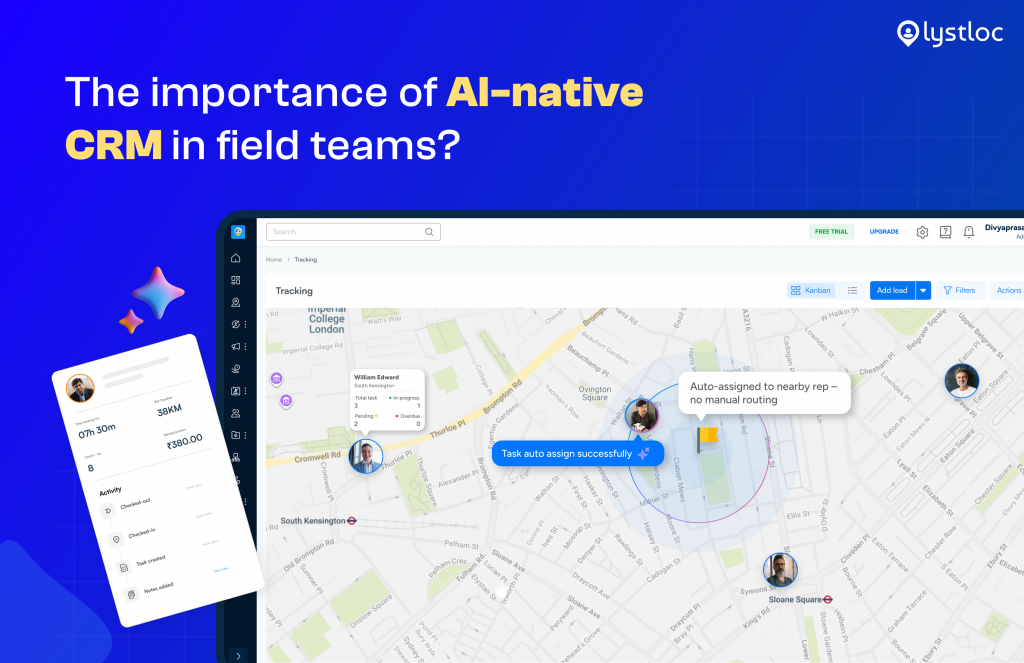
If you’re managing a field team that makes sales outside the office, like in medicine, real estate, or banking, you might have had a hard Monday like Priya’s.
So now, what can Priya do? She was in search of the best tool to solve this problem.
Then, after deep research, Priya found a solution that didn’t require her field team to adapt to the software. Instead, she found the best employee productivity tool Lystloc. Lystloc tracks and manages the field employee with its location-based attendance.
The best part? LystCRM – The AI-native CRM for field sales teams that can be customized as per your needs. She could create her modules, link them together, and enable her field team to work seamlessly from their phones.
Want to know how? Then continue reading this blog.
LystCRM allowed her to build a customized framework that supported her team’s workflow. This is the story of how to build your CRM
Why Do You Need to Create Custom CRM?
Six months after deploying LystCRM, Priya’s Monday looked completely different.
She opened the dashboard. Not a spreadsheet. Saw exactly where each rep was, how many deals closed, checked the number of new leads, and more.
She saw which leads were hot, which deals were due to close this week, and which client visits were scheduled for the day.
The chaos did not go away just because her team put in effort.
It actually went away because the system started working with them, not against them.
For example, it began logging visits on its own.
It turned leads into contacts with one click.
It linked orders to deals without needing anyone to enter the information.
It made sure the right people got the right information at the right time.
“Building our CRM wasn’t about building software.
It was about designing a system that understood how our people actually work in the field.”
That’s the promise of a configurable CRM, like LystCRM.
Now you can do it easily with LYRA AI.
You don’t need to navigate to different modules to know about the lead’s status. Just type your question, such as: How many leads got qualified today, and LYRA AI answers within a snap.
Get the help of LYRA AI in each stage and know what’s going on in your CRM.
Try Now!
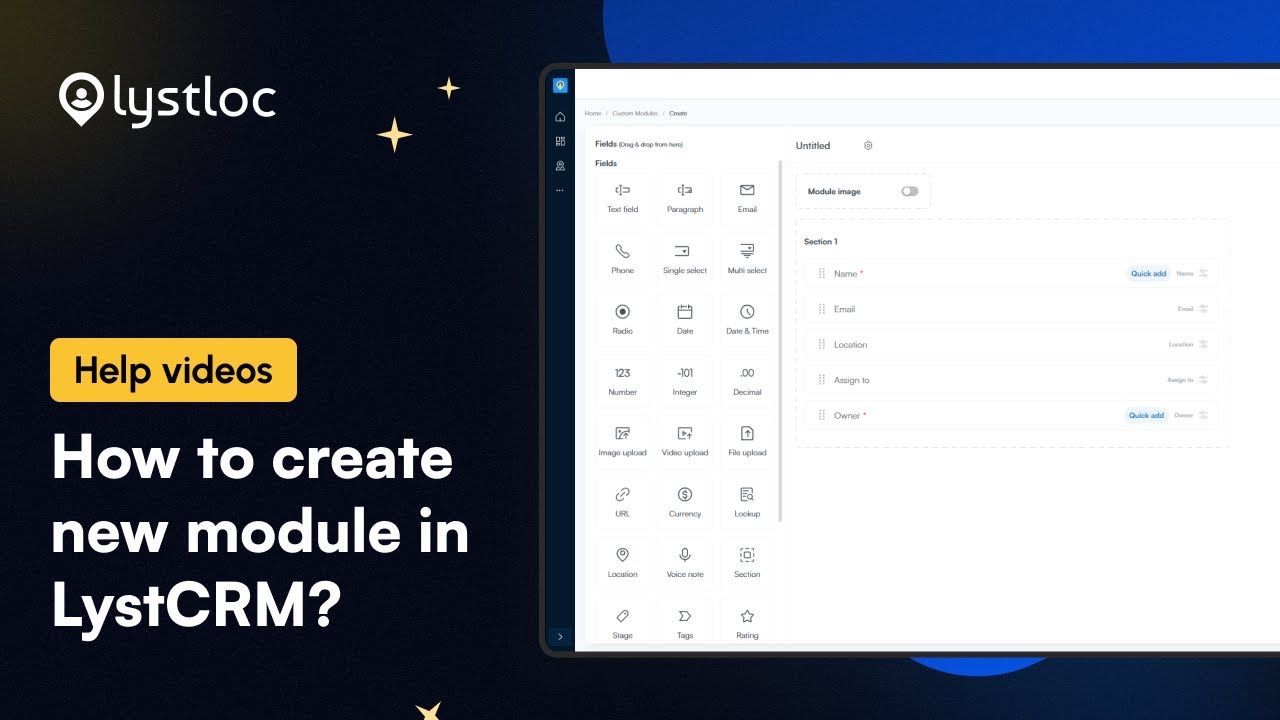
How to Create a Custom Module in LystCRM
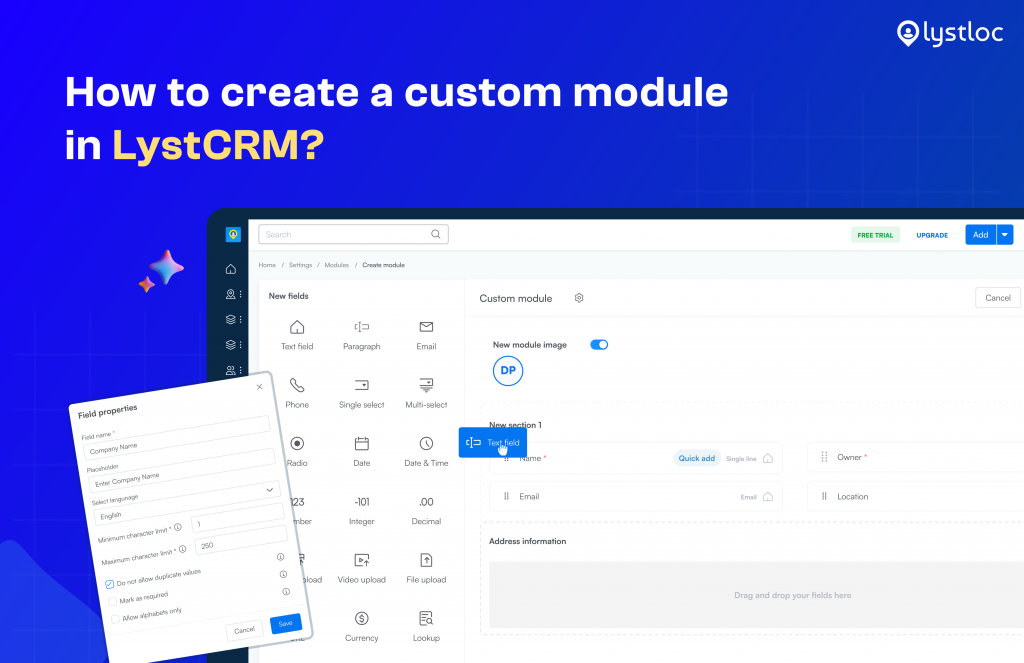
Building a module from scratch can be done quickly and easily.
You do not need to wait for developers.
In a few minutes, you can create your module entirely new.
1. Go to Settings
Navigate to the Modules section inside LystCRM Settings on the web dashboard or admin panel.
2. Name Your Module
Choose a title that fits your work process.
It could be “Patient Appointments,” “Supplier Connections,” or “Maintenance Schedules”.
Anything that makes sense for what you’re doing based on your business.
3. Add Fields
Choose field types: text inputs, dropdowns, date pickers, number fields, checkboxes, and geo-location fields.
4. Set Permissions
Define role-based access.
Decide who can view, edit, create, or delete entries.
Field reps see what they need.
Managers see everything.
5. Deploy & Use
The module shows up in both the mobile app and the web dashboard.
From that moment, start entering their data.
- A pharma company can build a Patient Visit module.
- A manufacturer can build a Distributor Network module.
- A logistics firm can build a Delivery Route module.
The only limit is your workflow’s imagination.
Benefits of Custom CRM
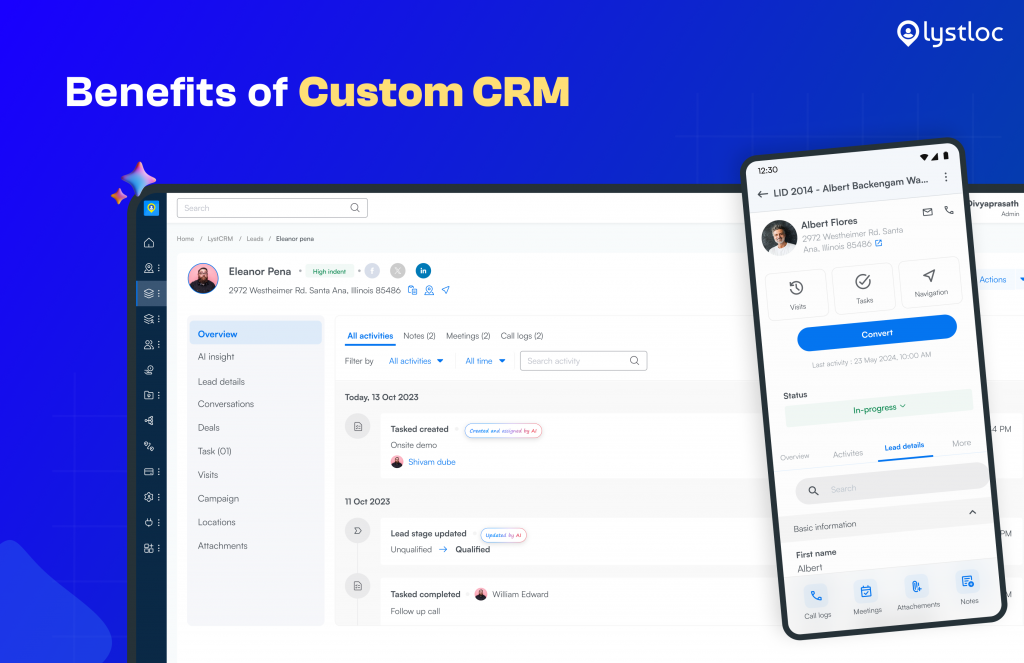
Workflows That Match How You Actually Sell – Rather than forcing companies into rigid systems, a custom CRM like LystCRM adjusts to the way businesses actually work in the real world.
Custom Modules for Your Unique Business Objects – With LystCRM, teams have the flexibility to build custom modules that fit their unique business without complex templates.
Field + AI-native CRM in One Place – Businesses use different systems to manage attendance, track activities in the field, and handle customer relationships.
But LystCRM is changing that by bringing together field force management and customer relationship management into one platform.
Real-Time Visibility Across the Entire Sales Journey – Custom-built CRM is more than just a way. A track of what’s to keep happening – helps you make sense of it all.
You can actually see everything’s going on, from phone calls to meeting that notes, and get a clear idea of what each sales rep is doing.
Significant Cost Savings – Many find difficulties in spending out extra cash for a CRM and a field tracking tool, only to get limited features in return. But LystCRM combines both tracking and CRM in a single platform.
Data You Can Trust – When you have a CRM that uses real-time information fields, like verified checks-ins, live location of activities, you can track, and record trust in the accuracy of the data