Ever had employees disappear without a word?
You find out later and end up chasing them through calls, texts, and emails – just to learn why.
Meanwhile, your other team members take on extra work, and deadlines start slipping. Sometimes, it even hits your bottom line.
However, now it’s changed. An advanced leave and attendance system can cut absenteeism by up to 20%.
Want the same for your team? Worries not. This blog is crafted for you to provide exactly what to look for in a system. Moreover, you’ll know which application can be the best for you.
So, let’s begin!
How to Choose the Right Employee Leave Management System?
Table of Contents
While choosing an application, the first thing to understand is its features. So that you can make sure it works well with your existing software. You need to look for:
1. First, look at the key features in your chosen application
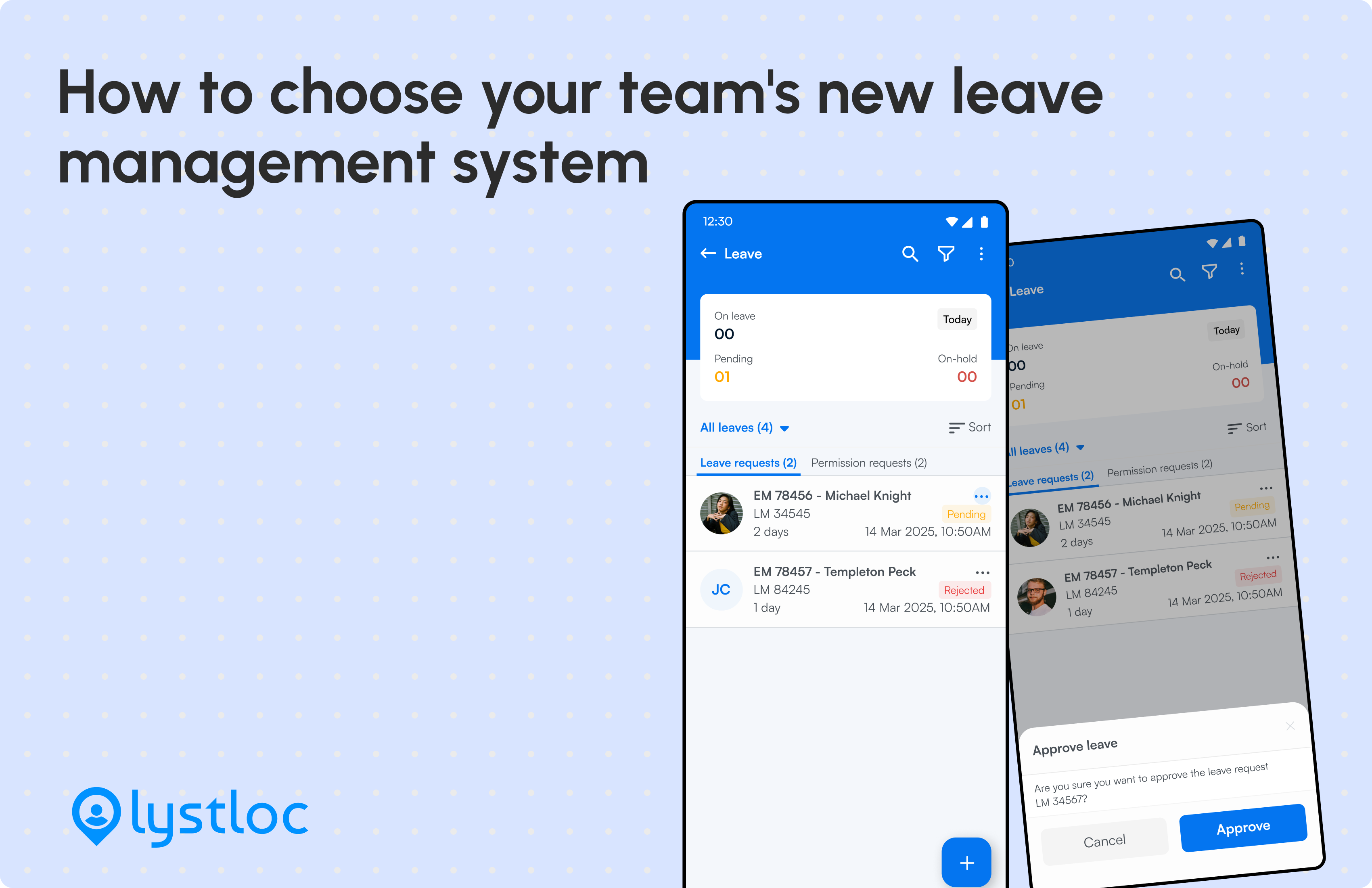
- Employee self-service portal: A well-designed leave management system gives your employees easy access. They can quickly request leave and get real-time status updates. They can also check their accrual balance and upcoming leaves. So they can do better planning for work-life balance without unnecessary hassle.
- Multi-level approval workflow: Companies have multi-level leave approval processes and so may yours. For example, you may want employee leave requests to pass through different stages – Team Lead, Reporting Manager, and HR Manager. Your leave management tool should let you configure this easily. This ensures decisions remain reliable.
- Automated leave calculation and accrual tracking: Manually counting leaves and attendance tracking is error-prone. However, a leave management system can automate it for you. It uses rules, custom policies, attendance records, and working hours. Thus, it updates the remaining leaves in real-time. So, your employees can carry-forward leaves and make them useful.
- Custom leave policies: Leave policies vary by industry, location, hierarchy and company rules. A reliable online leave management system lets you customize it easily. This ensures flexibility and supports all types of leaves – casual, sick, PTO, comp-off, maternity/paternity, unpaid, and more.
- Calendar views: If your chosen leave management tool comes with a visual calendar representation, you can check who’s in, who’s out quickly. You can sort the weekly and monthly view accordingly for individual and team leaves. You can use this breakdown to do a quick assessment to handle projects. It’ll help you streamline employee accountability.
- Custom leave modules: With custom modules, you can align your leave structure to fit your organization and labor laws. You can define leave periods, add types, and configure workweeks. You can also set multi-level approvals. This not only automates the workflow but also ensures decisions stay in the right hands.
- Data driven reporting: Data always plays a key role in helping HR analyze leave trends and update policies. Managers can use this data to adjust tasks and shifts. They can also identify which projects are most affected by absences. And, if they get it all within a single dashboard, their task will be easy. It will help improve efficiency and workforce management strategies.
- Real-time alerts: An effective software for leave management takes your employees and managers on the same boat. Your managers receive instant alerts whenever an employee applies for leave. And, your employees get informed instantly when their leave is approved. This helps everyone avoid last-minute surprises and keep task management on track.
- Cloud based access: A cloud-based system lets you access everything easily from anywhere. It also helps you with cross-functional reporting. It ensures reducing hassle for you while installing and updating software.
- Integration compatibility: A solid leave management application should integrate smoothly with your HR and payroll systems. So when leaving data syncs with other applications, HR can easily adjust salaries and process accurate payouts on time.

In short, the best leave management system does more than track employee absences. It should also improve efficiency, ensure transparency, and maintain compliance. And, Lystloc is one of them which can help you in every aspect. If you’re eager to know how it works, give Lystloc a free trial!
2. Now, plan the application implementing process
If you want to make the implementation process successful, you need a detailed plan. You can do the following step by step:
- List which department will use it first
- Decide the data migration process. It’ll ensure how data will be moved or synced between applications.
- Set up your leave approval workflow and monitor, if it works without flaws.
3. Next, train your employees and administrators
Once you identify and implement the best leave management software, every team will be eager to use it.
For example, giving your employees proper training can make a big difference. It helps them learn how to apply for leave, check their status, and use their remaining leaves wisely.
On the other hand, your HRs can be trained to approve leaves, make custom policies and automate salary processing. Managers can analyze trends by generating reports. And, the administrators may set a multilevel approval workflow.
Ultimately, this training will help you all to adopt its features and minimize disruption.
4. Finally, monitor, audit, and optimize the workflow
To cut down errors and align your payroll system, you need to take the right steps. After implementing the application, make sure it also helps you control absenteeism effectively. Here’s what to do:
- Start with checking if leave approval can be handled more seamlessly. It ensures the data is reflected automatically in the payroll system. Ensure there’s no technical glitches.
- Take feedback from your users such as HRs, administrators, managers and employees. And, use it to adjust necessary configuration and optimize functionalities to the system. Fix bugs, update modules, or change policies – you can keep repeating this process as required.
- Also, keep your eyes on auto-generated leave data and reports. Therefore, you can ensure whether it’s real-time and error-free, meeting your business needs.
Why Do You Need the Right Software for Leave Management?
You may not believe it, but a study by Ernst & Young found that employees who took just 10 extra hours of vacation had an 8% higher performance rating.
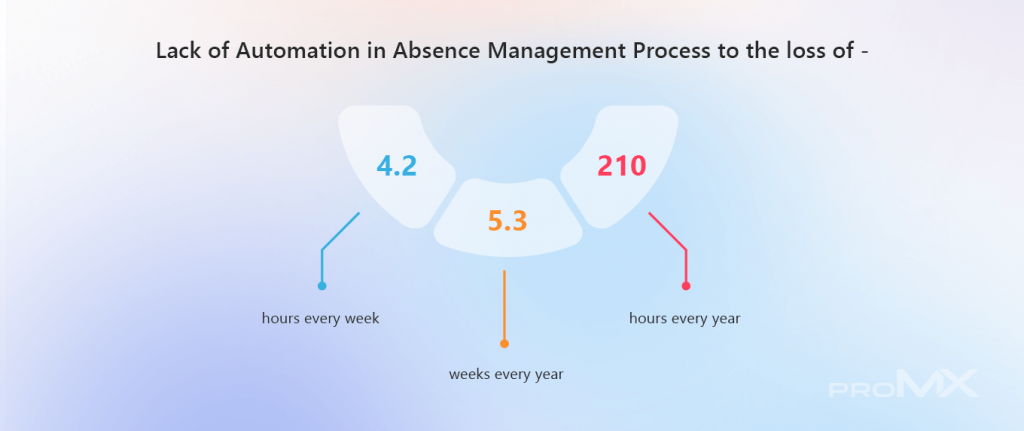
It’s not just about productivity. Your organization also needs flexibility, transparency, and compliance. Well, an effective leave and attendance management system forms the foundation of it.
Now, how the application help here:
- Reduce administrative burden to manage employees’ leaves
- Control scheduling conflicts, overlapping requests and overwhelming employees
- Prevent legal mistakes and its adjacent compensation due to complex labor laws
- Minimize inaccuracies in payroll and higher employee turnover
- Avoid internal conflicts between teams, likely HR, finance, payroll, and operations
- Ensure your employee well-being and their job satisfaction. Drive higher retention rate eventually.
Let’s wrap it up!
A right employee leave management system helps you improve the workplace environment. And, finding the right one isn’t an easy task as your decision can make a significant impact.
We’ve already discussed how you can evaluate features and plan implementation. Or, you can ensure compliance, and adopt the application. Remember, you’re not here to manage leaves only but to build transparency between employees and employers.
If you want to make leave management smoother and boost satisfaction, Lystloc can be your right digital partner.
So, why not book your demo and check how it aligns with your long-term and high-value deals?
Book a Demo